The AI Cheat Sheet for Agencies — Which LLM Should You Actually Use?
A practical guide to choosing the right AI tool for every agency task — from someone who uses them all daily
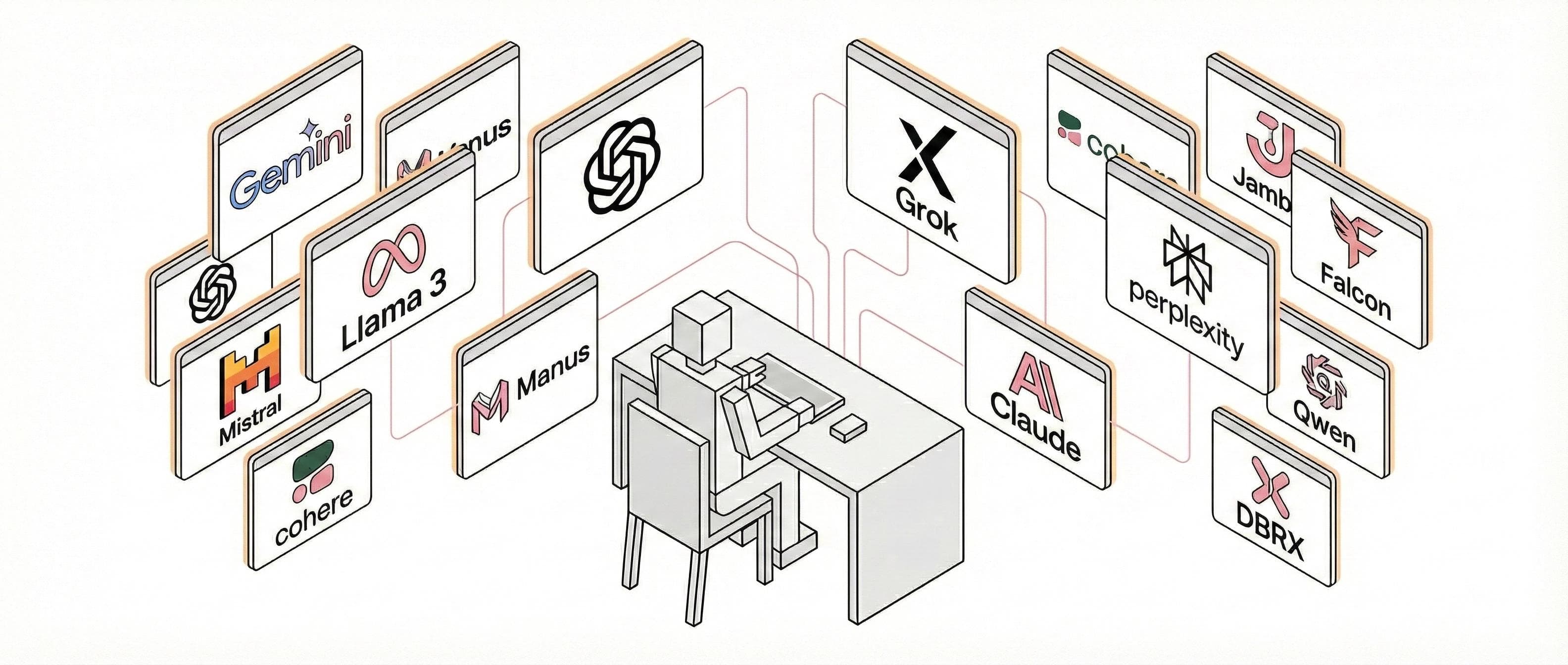
You're in a client meeting. They've just asked for a "quick" competitor analysis, three campaign concepts, and a social calendar — by tomorrow. Your options? Pull an all-nighter, miss the deadline, or... let AI do the heavy lifting while you focus on the strategic thinking that actually requires a human brain.
But here's the problem: there are now at least eight major AI platforms fighting for your attention and your subscription dollars. ChatGPT, Claude, Gemini, Perplexity, Copilot, Grok, DeepSeek, and the new autonomous agents like Manus — each promising to transform your workflow. Marketing claims aside, which ones actually deliver for agency work?
After spending the past year integrating these tools into real client projects — from pitch decks to content calendars to automated reporting systems — I've developed some strong opinions. This isn't a theoretical comparison. It's a practical guide based on what actually works when the deadline is real and the client is waiting.
The Market Reality (December 2025)
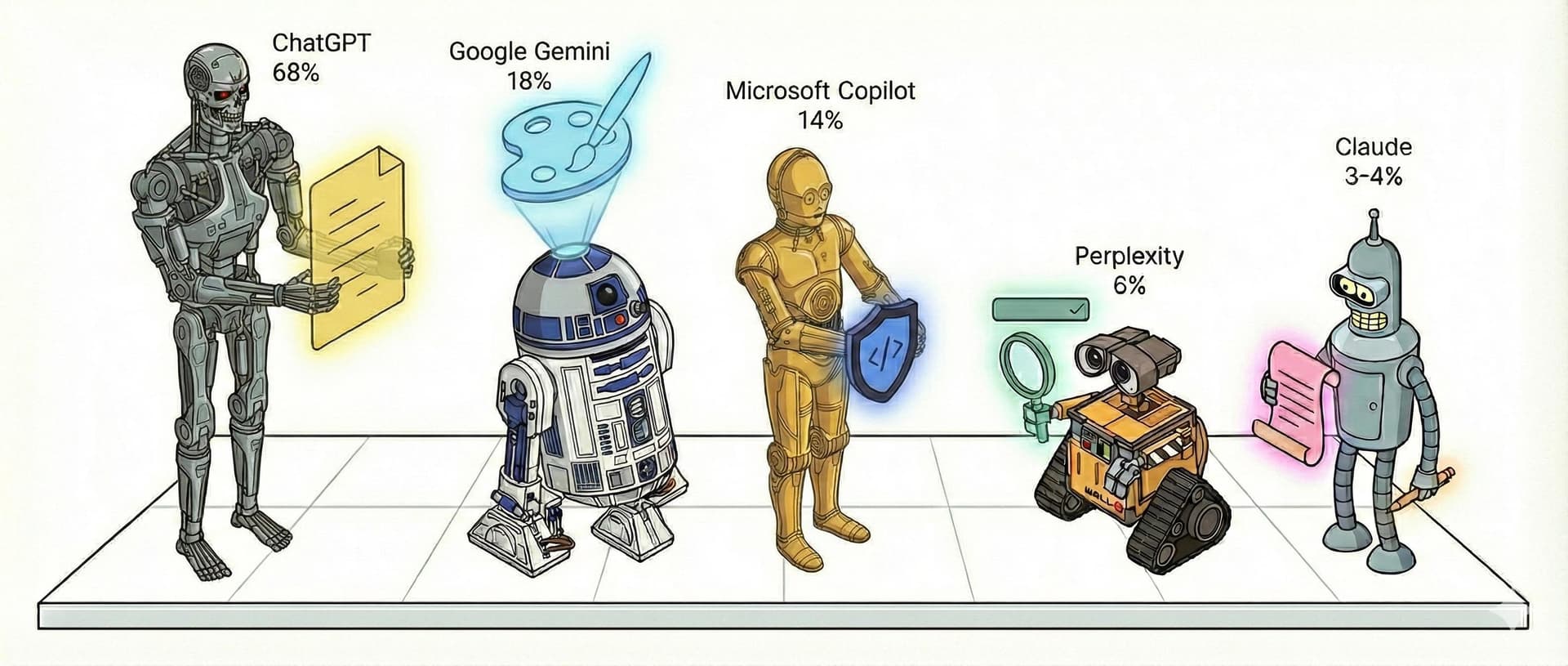
Before diving into recommendations, let's look at what agencies are actually using. ChatGPT dominates with roughly 67-68% market share, followed by Google's Gemini at 18% and Microsoft Copilot at 14%. Perplexity has carved out a respectable 6% among users who prioritise research accuracy, while Claude sits at 3-4% — punching well above its weight with technical and creative professionals.
But market share doesn't mean "best for agencies." The most popular choice isn't always the right choice for your specific workflow.
The Contenders: A Deep Dive
Claude — The Creative Professional's Choice
Best for: Long-form content, nuanced writing, complex analysis, technical documentation, coding
Pricing: Free (limited) | Pro £16/month | Max £80/month
This is my daily driver. Claude has a writing quality that's noticeably different from other models — more natural cadence, better understanding of tone and nuance, less of that "AI-generated" feel that makes clients suspicious. For agencies where writing quality is the product, that matters enormously.
What sets it apart:
200K token context window is game-changing for agency work. Upload an entire brand guidelines document, a competitor analysis, and a brief — then have a coherent conversation about all of it. Other models lose the plot after a few thousand words.
Claude Code is Anthropic's agentic coding tool that lives in your terminal, IDE, or runs tasks in the cloud. It maps and explains entire codebases in seconds using agentic search, handles multi-file edits, integrates with GitHub and GitLab, and can work autonomously for 30+ hours on complex tasks. Recent updates added checkpoints (roll back instantly to previous states), subagents for parallel workflows, and a native VS Code extension. Claude Code reached £800 million in run-rate revenue just six months after launch — a sign of how essential it's become for developers.
Projects let you create persistent workspaces with custom instructions and knowledge. I have a Project for each major client with their brand voice, previous work, and specific requirements. It's like having a junior account manager who never forgets.
Artifacts creates interactive visualisations, code, and documents within the conversation. Building a React component for a client demo? It generates, previews, and iterates without leaving the chat.
Model Context Protocol (MCP) is an open standard that connects Claude to external tools — your GitHub, your Notion, your CRM, your project management system. Microsoft Copilot adopted it too, and it's becoming the industry standard for AI integration. This is how AI becomes genuinely integrated rather than a separate tab you copy-paste from.
Agent Skills (now an open standard) are instruction folders that teach Claude specific workflows. Create a Skill for "client meeting prep" that knows your template, pulls relevant data, and formats everything consistently. Build once, use forever. Skills are now available across platforms that support the standard.
The considerations: Claude's free tier is generous, but Pro is necessary for serious work. The ecosystem of third-party integrations is growing rapidly with MCP adoption. Claude's thoroughness is a strength for detailed work, though you can guide it toward more concise responses when needed.
Best for: General copywriting, brainstorming, client-facing content, visual content creation, coding
Pricing: Free (limited) | Plus £16/month | Pro £160/month
ChatGPT remains the Swiss Army knife of AI assistants. It handles copywriting, brainstorming, coding, and general research competently. For most agency generalists, it's good enough — and "good enough" isn't an insult when you need to context-switch between twelve different tasks before lunch.
What sets it apart:
The Custom GPTs ecosystem is genuinely useful. You can build specialised assistants for recurring tasks — a "Brand Voice GPT" trained on your client's guidelines, or a "Social Calendar GPT" that knows your posting templates. The public GPT Store means you don't always have to build from scratch.
Canvas solves a real workflow problem: instead of copying AI-generated text into a document, editing it, then pasting it back, you can draft and refine directly alongside the chat. It sounds minor until you've done it a hundred times.
GPT Image (formerly DALL-E) is ChatGPT's native image generation, rebuilt from the ground up in March 2025. Unlike DALL-E 3, GPT Image is integrated directly into the GPT-4o model, meaning it understands conversation context and can generate images that genuinely match what you're discussing. It handles text rendering accurately and can maintain consistency across revisions — real improvements for agency creative work.
Sora 2 brings video generation to the Pro tier, creating cinematic-quality clips from text prompts. For pitch visualisations, social content concepts, or explaining ideas to clients, having video generation in the same tool as your copywriting assistant is genuinely powerful.
The memory system remembers your preferences and past conversations across sessions. Tell it once that your client prefers British English and avoids exclamation marks, and it remembers.
Codex is OpenAI's dedicated coding agent, now powered by GPT-5.2-Codex. It runs in the cloud, your terminal, or your IDE (VS Code, Cursor, Windsurf), handling everything from writing features to fixing bugs to proposing pull requests. Internally, 95% of OpenAI engineers use Codex weekly, shipping roughly 70% more pull requests since adopting it. It's included in all paid ChatGPT plans.
Operator (Pro tier, £160/month) is an autonomous agent that can actually perform web tasks — booking travel, filling forms, making purchases. For agency ops work, the potential is significant.
The considerations: ChatGPT is versatile by design, which means it's strong across many tasks rather than exceptional at one specific thing. The free tier has limitations during peak hours. And at £160/month for Pro features like Operator and Sora, you're investing in premium capabilities.
Google Gemini — The Workspace Native
Best for: Teams embedded in Google Workspace, multimodal projects, visual content at scale, agentic coding
Pricing: Free | Advanced £16/month | Enterprise £24/user/month
Google has been shipping at a remarkable pace — literally a new model or feature nearly every week in late 2025. With Gemini 3, they've delivered a genuinely impressive model, and the ecosystem they're building around it is worth paying attention to.
If your agency lives in Google Docs, Sheets, and Slides — and most do — Gemini's integration advantage is real. It's not about whether Gemini is "better" than Claude or ChatGPT; it's about whether the friction reduction of native integration outweighs any quality differences.
What sets it apart:
Native Workspace integration means "Help me visualise" buttons appearing directly in Slides, AI suggestions in Docs, formula generation in Sheets. No switching tabs, no copy-pasting. For high-volume production work, that friction reduction compounds.
Google AI Studio is the fastest path from idea to working app. The "Build" mode generates fully functional applications from a single prompt — genuinely impressive for rapid prototyping. It's become a go-to tool for testing ideas before committing to full development.
Google Antigravity is Google's new agentic IDE, launched November 2025 alongside Gemini 3. It's not just another code editor with AI — it's built "agent-first" with a dedicated Manager View for orchestrating multiple agents working in parallel across workspaces. Agents have direct access to your editor, terminal, and browser, and can autonomously plan, execute, and validate entire features. They generate "Artifacts" — task lists, implementation plans, screenshots, browser recordings — so you can verify their work at a glance. It's currently free in public preview with generous Gemini 3 Pro rate limits, and supports Claude Sonnet 4.5 and OpenAI models too. This is my current AI IDE due to its genuinely agentic approach to development.
Veo 3 video generation creates cinematic-quality 8-second clips from text prompts. For social content, pitch visualisations, or concepting, it's remarkably capable.
Nano Banana Pro (yes, that's the actual name) is Gemini 3's image generation, and it went viral for good reason. The photorealistic "3D figurine" transformations drove 10 million new users. More practically, it handles text rendering accurately, creates infographics from handwritten notes, and maintains subject consistency across revisions — all weak points for previous image generators.
NotebookLM is an underrated gem for research-heavy work. Upload documents, and it creates an interactive research assistant specifically for that content. For pitches requiring deep competitor analysis or industry research, it's invaluable.
SynthID watermarking automatically marks AI-generated content with imperceptible digital watermarks. As regulation tightens around AI disclosure, having verifiable provenance for generated content will matter.
The considerations: If you're not in the Google ecosystem, you might not fully leverage Gemini's integration strengths. That said, standalone tools like AI Studio and Antigravity work brilliantly for anyone.
Perplexity — The Research Specialist
Best for: Competitive intelligence, fact-checking, current events research, citation-heavy work
Pricing: Free | Pro £16/month | Max £160/month
Perplexity isn't trying to be everything to everyone. It's a search engine rebuilt with AI at its core, and for research-heavy agency work, that focus pays dividends.
What sets it apart:
Source citations are built in. Every claim links to its source. For client reports where credibility matters, this eliminates the "Did the AI make this up?" anxiety. You can actually verify what you're presenting.
Pro Search conducts multi-step research, synthesising information across sources rather than just summarising the first result. For competitive analysis or industry deep-dives, it produces genuinely useful output.
Comet Browser (free as of October 2025) is an AI-native browser with Perplexity baked in. The Comet Assistant sits alongside every page, answering questions about what you're reading, managing tabs, summarising your inbox.
Background Assistant (Max tier) runs multiple research tasks in parallel via a "mission control" dashboard. Delegate five competitor analyses, receive notifications when each completes. For agency research teams, this is meaningful productivity gain.
Connectors integrate with Gmail, Calendar, Slack, and CRMs, giving Perplexity context about your work to inform its answers.
The reality check: Perplexity is excellent at research and mediocre at creation. You'll still need another tool for writing, design, or coding. At £160/month for Max, you're paying research-tool prices while still subscribing to something else for production work.
Microsoft Copilot — The Enterprise Powerhouse
Best for: Microsoft 365 shops, enterprise environments, SharePoint-heavy organisations
Pricing: Free | Individual £16/month | Microsoft 365 Copilot £24/user/month
Copilot is where AI meets enterprise reality. If your agency already pays for Microsoft 365 licenses — and deals with corporate clients who certainly do — Copilot's integration advantages are substantial. Recent updates have made it genuinely multi-model, drawing on both OpenAI and Anthropic to deliver the best results for specific tasks.
What sets it apart:
Deep Microsoft 365 integration means AI assistance directly in Word, Excel, PowerPoint, Outlook, and Teams. "Summarise this email thread and draft a response" happens without leaving your inbox. "Turn this data into a presentation" works from Excel to PowerPoint natively.
SharePoint integration is where Copilot really shines for agencies. It can search across all your SharePoint folders and sites that you have access to, finding documents related to clients, projects, or topics through natural language queries. Ask "Show me all the brand guidelines for our retail clients" or "Find the Q3 reports from the finance team" and Copilot surfaces relevant documents with context. You can configure it to focus on specific SharePoint locations, or let it search everything you have permission to access. For agencies managing multiple clients with extensive documentation, this is genuinely powerful.
Multi-model architecture — Copilot now uses both OpenAI (GPT-5.2) and Anthropic (Claude Sonnet 4, Claude Opus 4.1) models. From January 2025, Claude models are enabled by default for most commercial tenants. Microsoft found that Claude outperformed in "subtle but important" ways for certain tasks, like producing more polished PowerPoint presentations. The Researcher agent in Copilot can use Claude Opus 4.1 for complex, multi-step research tasks.
Copilot Agents are specialised assistants for specific workflows. Microsoft offers pre-built agents (Sales Agent, Employee Self-Service Agent) and Copilot Studio lets you build custom ones connecting to over 1,400 systems including Salesforce, ServiceNow, and SAP.
Multi-agent orchestration (announced Build 2025) lets agents collaborate on complex tasks. HR, IT, and Finance agents can work together on employee onboarding, each handling their domain.
MCP support (added November 2025) means Copilot now works with the same open standard Claude uses, expanding its integration possibilities significantly.
Copilot Tuning lets organisations train the model on their own data without needing data scientists.
The considerations: Copilot's strength is integration, not raw standalone capability. The value proposition is strongest when you're already in the Microsoft ecosystem. Enterprise licensing can add complexity, so work with your Microsoft account team to understand the full picture.
Grok — The Real-Time Wild Card
Best for: Social media monitoring, trend analysis, anyone deeply embedded in X/Twitter
Pricing: Free (limited) | X Premium+ £32/month | SuperGrok £24/month | SuperGrok Heavy £240/month
Grok's value proposition is simple: real-time access to the X/Twitter firehose. If social listening and trend-spotting are core to your work, that's genuinely useful. If they're not, Grok offers less compelling reasons to switch.
What sets it apart:
Real-time X integration means Grok knows what's happening right now on the platform. For newsjacking, crisis monitoring, or trend-based content, that's a meaningful advantage over models with knowledge cutoffs.
Aurora image generation has notably fewer restrictions than competitors. It creates realistic portraits of public figures, renders text accurately, and handles celebrity likenesses that other generators refuse.
Grok Imagine generates 6-second animated video clips from text. Combined with Aurora's image capabilities, it's a rapid visual concepting tool.
Free access to Grok 3 for all X users (since February 2025) means you can test it without commitment.
The reality check: Grok's pricing has been volatile (doubling from £13 to £32 in early 2025), and the tool is heavily oriented toward X engagement. The "uncensored" positioning appeals to some but creates brand safety concerns for others. For agencies with corporate clients, Grok's edgier positioning might be a harder sell.
DeepSeek — The Cost Disruptor
Best for: Budget-conscious teams, technical users comfortable with open-source, API-first workflows
Pricing: Free (API/self-hosted) | Minimal usage-based costs
DeepSeek is the Chinese model that sent shockwaves through the AI industry in early 2025 by delivering OpenAI-level performance at a fraction of the cost — reportedly £5 million to train versus £80 million+ for comparable models.
What sets it apart:
R1 reasoning model performs comparably to OpenAI's o1 on math, coding, and reasoning benchmarks. For technical agency work — automation development, data analysis, complex problem-solving — it's genuinely capable.
MIT open-source license means inspect, modify, and commercial use without licensing concerns. For agencies building proprietary tools, this flexibility matters.
Distilled models from 1.5B to 70B parameters mean you can choose the right size for your compute budget. Smaller models run on modest hardware; larger ones compete with frontier models.
V3.1 hybrid mode switches between "thinking" (extended reasoning) and "non-thinking" (fast direct answers) modes automatically.
Cost structure is dramatically lower than Western alternatives. API pricing is roughly 15-50% of OpenAI's equivalent.
The reality check: DeepSeek requires more technical sophistication to use effectively. The web interface is basic compared to ChatGPT or Claude. There are legitimate questions about data handling given Chinese origins. And the open-source nature means less polish and support than commercial alternatives.
Manus — The Autonomous Future (Acquired by Meta, December 2025)
Best for: Complex multi-step tasks requiring autonomous execution, research projects, workflow automation
Pricing: Free (limited) | Starter £31/month | Pro £159/month | Team £31/seat/month
Manus represents a different paradigm: instead of chatting with AI and implementing its suggestions, you delegate entire tasks and receive completed work. Meta's £1.6 billion acquisition (December 2025) signals how seriously the industry takes this approach.
What sets it apart:
True autonomous execution. Give Manus a goal ("Research our top 5 competitors and create a comparison matrix"), and it plans the steps, executes them, and delivers results without constant supervision.
"Manus's Computer" interface provides transparency into what the agent is doing. Watch it browse the web, create spreadsheets, and compile reports through session replay.
Multi-modal output including reports, visualisations, websites, and spreadsheets. It doesn't just answer questions; it produces deliverables.
Memory and adaptation means it learns your preferences over time, personalising its outputs to your working style.
The reality check: Autonomous agents are powerful but unpredictable. You need to verify outputs carefully. The £159/month Pro tier is expensive for capabilities still being proven. And Meta acquisition creates uncertainty about future direction.
Platform Features at a Glance
Understanding what each platform can actually do — beyond basic chat — is crucial for agency workflow decisions.
Connectivity & Integration
Claude connects via MCP (the open standard) to GitHub, Notion, Salesforce, and any MCP-compatible tool.
ChatGPT offers Custom GPTs and Actions with a wide third-party ecosystem. Gemini integrates natively with Gmail, Docs, Sheets, Slides, and Drive.
Perplexity has connectors for Gmail, Calendar, Slack, and CRMs.
Copilot leads with 1,400+ connectors including Microsoft 365, Salesforce, ServiceNow, and SAP.
Grok taps directly into X/Twitter for real-time social data.
Creative & Visual Capabilities
For image generation, ChatGPT's GPT Image offers context-aware generation within conversations, while Gemini's Nano Banana Pro excels at text accuracy and infographics. Grok's Aurora has fewer content restrictions, including celebrity imagery.
For video, ChatGPT's Sora 2 (Pro tier) and Gemini's Veo 3 create cinematic clips, while Grok Imagine produces 6-second videos.
Claude handles visuals through integrations but shines with Artifacts for interactive content like React components, visualisations, and documents.
Automation & Agents
High autonomy agents: Claude Code runs 30+ hour coding sessions for complex refactors and full features. ChatGPT Codex handles software development and PR workflows. ChatGPT Operator (supervised) manages web tasks like booking, forms, and purchases. Google Antigravity orchestrates full-stack development with parallel agents. Manusdelivers complete autonomous deliverables from complex briefs.
Medium autonomy agents: Claude Skills automate repeatable processes with custom workflows. Copilot Agentshandle Microsoft 365 tasks and enterprise workflows. Perplexity Background runs parallel research tasks via mission control.
The Task-to-Tool Matching Guide
Stop asking "which AI is best?" and start asking "which AI is best for this specific task?"
Content Creation
Long-form articles, thought leadership, nuanced writing: → Claude (Superior writing quality, massive context window)
Quick social posts, ad copy, high-volume content: → ChatGPT (Fast, versatile, good enough quality at scale)
Google Workspace native teams: → Gemini (Friction reduction beats marginal quality differences)
Research & Analysis
Competitive intelligence, fact-based reports: → Perplexity (Built-in citations, research-first design)
Deep document analysis, multi-source synthesis: → Claude (200K context handles complex inputs)
Real-time social trends, newsjacking: → Grok (Live X data integration)
Visual Content
Integrated text-and-image workflows: → ChatGPT (GPT Image in the same conversation)
Photorealistic imagery, text-heavy graphics: → Gemini (Nano Banana Pro's accuracy)
Video concepting, cinematic clips: → Gemini (Veo 3) or Grok (Imagine)
Technical & Automation
Complex coding, technical documentation: → Claude with Claude Code (State-of-the-art on SWE-bench, 30+ hour autonomous sessions)
Agentic development, parallel workflows: → Google Antigravity (Agent-first IDE with Gemini 3, free preview)
Cloud-based coding with PR workflows: → ChatGPT Codex (GPT-5.2-Codex, integrated with GitHub)
Microsoft 365 automation: → Copilot (Native integration, multi-model with Claude support)
Budget-conscious API workflows: → DeepSeek (Comparable quality, fraction of cost)
Fully autonomous task completion: → Manus (Delegate and receive deliverables)
Enterprise & Collaboration
Corporate clients, compliance-heavy: → Copilot (Enterprise governance, Microsoft backing)
Cross-functional workflows: → Copilot (Multi-agent orchestration)
The Subscription Reality: You Can't Subscribe to Everything
At £16/month per platform, subscribing to ChatGPT Plus, Claude Pro, Gemini Advanced, and Perplexity Pro runs £64/month before you've added Grok (£32), Copilot (£24), or Manus (£31-159). That's £120-280/month on AI subscriptions alone.
The Practical Stack Recommendations
Solo Creative / Freelancer — Budget: £16-32/month
Pick one primary tool:
- Claude Pro (£16) if writing quality is paramount
- ChatGPT Plus (£16) if versatility matters more
- Add Perplexity Free for research (generous free tier)
Small Agency Team (3-5 people) — Budget: £80-120/month
- Claude Pro (£16) for content leads
- ChatGPT Plus (£16) for generalists
- Perplexity Pro (£16) for research/strategy
- Gemini Advanced (£16) if Google Workspace heavy
Enterprise Agency — Budget: Flexible
- Microsoft 365 Copilot (£24/user) for Microsoft shops
- Claude Max (£80) for senior content/creative leads
- ChatGPT Pro (£160) for experimental/automation leads
- Perplexity Pro for research teams
The Verdict: And the Winner Is...
After extensive testing across real client projects, my recommendation for most agencies is:
🏆 Claude Pro — Best Overall for Agency Work
Why Claude wins:
- Writing quality is noticeably better. For agencies, words are the product. Claude produces copy that needs less editing, sounds more natural, and captures nuance other models miss.
- The context window changes everything. Uploading entire brand guidelines, previous campaigns, and briefs in one conversation means truly informed outputs. Other models forget what you told them three messages ago.
- Claude Code is the best coding agent available. For agencies building automation, websites, or technical solutions, Claude Code's ability to work autonomously for 30+ hours on complex tasks is unmatched. It reached £800 million in revenue just six months after launch — a sign of how essential it's become.
- Projects create institutional memory. A Project per client with their specific requirements means Claude works like a trained team member, not a blank slate every conversation.
- MCP and Skills are the future. The ability to connect Claude to your actual tools — GitHub, Notion, CRM, file systems — and teach it specific workflows transforms it from "chat tool I copy from" to "integrated team member." Microsoft's adoption of MCP validates this as the industry direction.
- The value proposition is clear. At £16/month for Pro, you get the best writing model, massive context, state-of-the-art coding capabilities, and the most sophisticated integration system.
The caveats:
Claude handles most use cases well, but consider alternatives when:
- Your team lives deeply in Google Workspace (Gemini's native integration may reduce friction)
- Your enterprise requires Microsoft compliance and governance (Copilot)
- You need integrated image generation in the same conversation (ChatGPT's GPT Image or Gemini)
Note: Claude does support real-time information through MCP servers like Brave Search and Perplexity, so "no real-time data" isn't actually a limitation if you're using Claude with MCP configured.
My daily setup:
- Claude (primary): All writing, analysis, coding, client work
- Perplexity (free tier): Fact-checking, current events, citations
- ChatGPT (free tier): Quick image concepts, testing GPTs
Total monthly cost: £16.
The Quick-Reference Guide
Best overall writing → Claude (noticeable quality difference)
Fastest versatile assistant → ChatGPT (strong across many tasks)
Research with citations → Perplexity (built for fact-finding)
Google Workspace integration → Gemini (native, frictionless)
Microsoft 365 integration → Copilot (enterprise governance + SharePoint)
Real-time social intelligence → Grok (X data access)
Cost-effective API → DeepSeek (comparable quality, 15% cost)
Fully autonomous tasks → Manus (delegate entire workflows)
Image + text in one place → ChatGPT (GPT Image integration)
Video generation → Gemini (Veo 3) or Grok (Imagine)
Agentic coding (terminal) → Claude Code (30+ hour autonomous sessions)
Agentic coding (IDE) → Google Antigravity (agent-first with parallel tasks)
Cloud coding with GitHub → ChatGPT Codex (PR workflows, code review)
Multi-model workflows → n8n + OpenRouter (visual orchestration, model switching)
Agent orchestration (code) → LangChain / CrewAI (production multi-agent systems)
The Real Power Move: Combining Models Through Orchestration
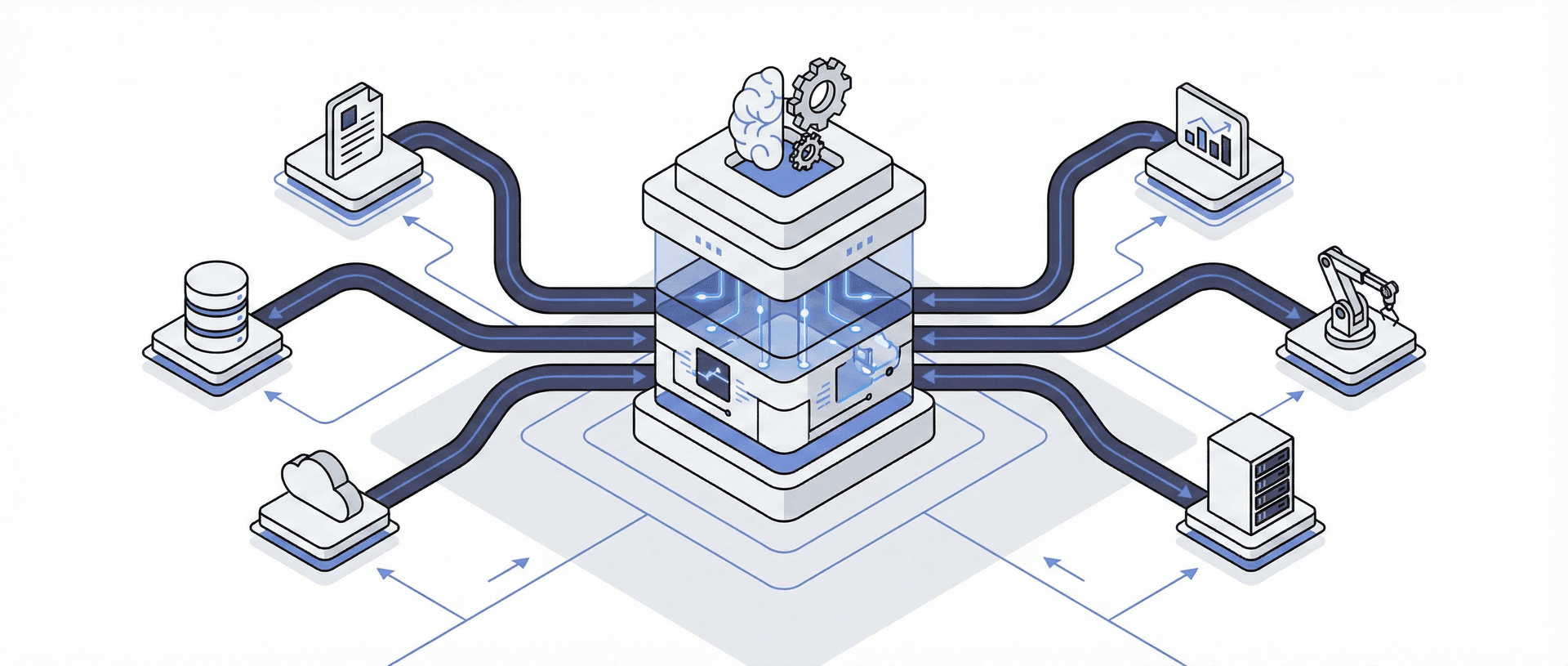
Here's what separates agencies dabbling with AI from those genuinely transforming their operations: you don't have to choose just one model. The smartest approach is using different LLMs for different tasks within a single workflow — and there's now mature tooling to make this seamless.
Why Multi-Model Orchestration Matters
Each LLM has its strengths. Claude writes beautifully. Perplexity researches thoroughly. GPT Image generates visuals. DeepSeek processes cheaply. Why force one model to do everything when you can build workflows that route each task to the optimal model?
A practical example: a content production workflow might use Perplexity to research a topic (with citations), pass that research to Claude for long-form writing, send the draft to a cheaper model for proofreading and formatting, then trigger GPT Image or Gemini for accompanying visuals. Each model does what it does best.
The Orchestration Tools
n8n is my primary automation platform. It's open-source, self-hostable, and has native nodes for OpenAI, Claude, Gemini, and virtually any LLM via HTTP requests. The visual, node-based interface makes it straightforward to build complex multi-model workflows: trigger on a webhook, pull data from your CRM, send it through multiple AI models in sequence, then push results to Slack or your project management system. For agencies, this is how you move from "using AI" to "AI-powered operations." It now supports MCP servers too, so your AI agents can interact with real-world tools and services.
LangChain / LangGraph provides a code-first framework for developers who want precise control. LangChain connects LLMs to external data sources, chains prompts together, and manages memory across conversations. LangGraph (built on top of LangChain) adds stateful graph-based orchestration for complex multi-agent workflows — research shows it executes certain tasks significantly faster than alternatives while maintaining reliability. If you're building production AI systems, this is the enterprise standard.
CrewAI takes a different approach: role-based agent teams. You define agents with specific roles (Researcher, Writer, Editor, Designer) and let them collaborate autonomously. It's now powering over 1.4 billion agentic automations for enterprises like PwC, IBM, and NVIDIA. The "Crews" handle autonomous collaboration while "Flows" offer deterministic, event-driven orchestration — useful when you need predictable execution paths for client work.
OpenRouter: The Model-Switching Superpower
For automations I build for clients, I use OpenRouter extensively. It's a unified API gateway that lets you access 320+ models from every major provider through a single endpoint. The killer feature: you can swap models without rewriting any code.
This matters because different tasks have different cost-performance requirements. A complex analysis might need Claude Opus 4.5 (premium pricing). A simple summarisation task? Route it to a cheaper model and pay 10% of the cost. OpenRouter handles the routing, billing, and failover automatically.
The practical benefit: I can build a client automation once, then optimise costs over time by adjusting which models handle which tasks — all without touching the workflow logic. When a better or cheaper model launches, I update a single parameter. Client workflows stay stable while costs decrease.
OpenRouter also offers automatic routing modes (:nitro for fastest response, :floor for lowest cost) that intelligently select models based on your priority. Their State of AI report, analysing 100 trillion tokens of usage data, showed Claude leading the programming category with over 60% of coding-related spend — useful intelligence for deciding which models to use for what.
Making It Practical
You don't need to build complex multi-agent systems from day one. Start simple:
- Identify repetitive workflows that involve multiple AI tasks (research → write → format → distribute)
- Map which model suits each step based on the task requirements and cost tolerance
- Connect them through n8n or your automation platform of choice with OpenRouter as the model gateway
- Measure and optimise — track which steps consume the most tokens and whether cheaper models would work
The agencies getting real competitive advantage from AI aren't the ones with the fanciest single model — they're the ones who've built systems that combine models intelligently, route tasks efficiently, and scale without proportionally scaling costs.
Final Thought
The AI landscape changes monthly. Today's winner might be tomorrow's also-ran. What matters more than choosing the "best" tool is building workflows that don't depend entirely on any single platform — and as we've seen, orchestration tools now make multi-model workflows genuinely practical.
Use Claude for its writing excellence today. Keep an eye on ChatGPT's enterprise features. Test Perplexity for research workflows. Stay curious about what Gemini and Copilot do with deeper integration. And consider how tools like n8n, LangChain, and OpenRouter can help you combine the best of each into workflows that are both more powerful and more cost-effective than any single model alone.
The agencies that will thrive aren't the ones who picked the "right" AI in 2025. They're the ones who learned to evaluate, adapt, and integrate AI tools as naturally as they learned to use email, then smartphones, then social media — and who built systems flexible enough to evolve as the technology improves.
The tools will keep changing. The skill of leveraging them won't go out of date.